
MyGANTT 2026.9.18
Hello everyone,
I haven’t had the time to post any updates on the new versions of the programme recently
Since the post about version 2026.9.11, there has been no information on what’s new
With version2026.9.18, I’ve taken the opportunity to list all the latest changes that have been introduced in the various versions leading up to today’s release
Obviously, I’ve made a long list of fixes for minor and major bugs, as well as minor improvements, which I won’t go into here
I’ll focus on the new features and provide a brief summary below
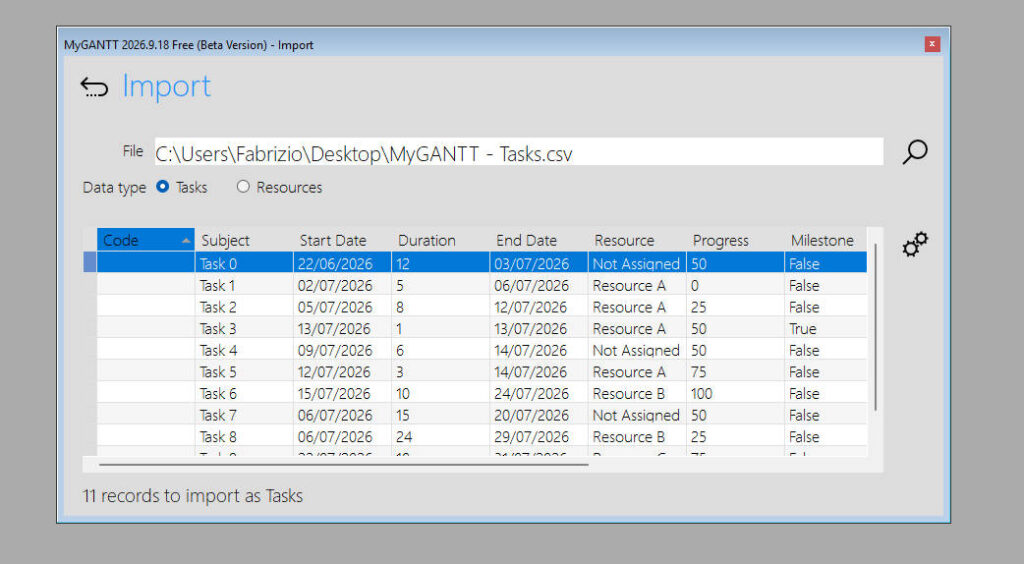
Data Import
Data import window (Tasks and Resources) in CSV format, accessible via the Data / Import menu
To see the structure of the file to be imported, see this articleHERE
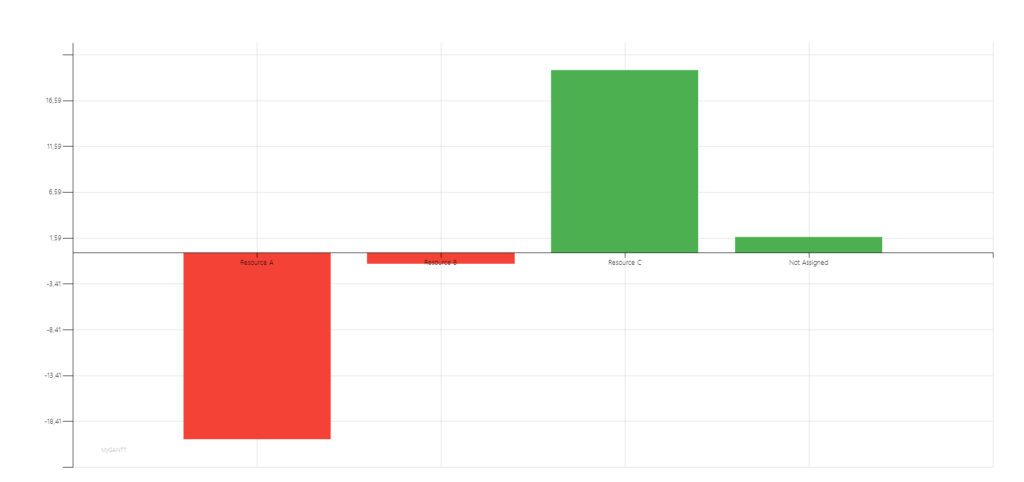
Resource Efficiency Analysis
New chart in available for analysing resource efficiency and a relative new toolbar icon for this chart
Daily Task List
New windows for the daily task list

The Gantt chart shows Sundays
Sunday dates have been added to the Gantt chart

Keyboard control
The software can now also be operated using the keyboard to speed up the process of entering and editing tasks to see which keys and key combinations you can use, see this articleHERE.
New Toolbar
The main toolbar has been completely redesigned by removing some icons, adding separators, and reorganising the groups based on their logical relationships

This post summarises the new features in versions 2026.9.12, 2026.9.13, 2026.9.14, 2026.9.15, 2026.9.16 and 2026.9.18

