
MyGANTT
Manage projects. Without complexity
MyGANTT
Project Management Software
Project manager with Gantt chart, Kanban board, dashboard, task list, reports, to-do list, resource management, quick entry, burndown chart, costs analysis, project analysis, templates, calendar view, daily plan, progress index and much more

Why another project management software?
MyGANTT is my personal interpretation of a project management software
In my work I often have to coordinate and manage projects and people for the development of all phases of a software product and more
To do this, software that takes care of everything is useful. There are many solutions on the market, both free and paid, but none have been easy to use and immediate.
In other cases, there are some typical aspects of project management that make management very cumbersome
I needed a software that was simple but had all the necessary functions, and after much thought, I decided to create it myself
Now I have made it available to everyone for free
GANTT CHART
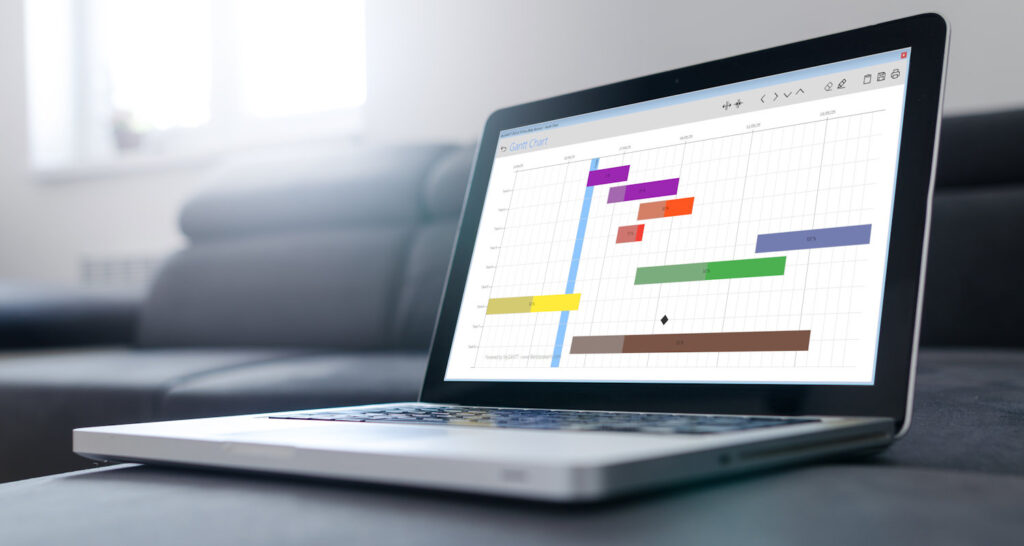
With very few data you can automatically create an efficient gantt chart with which to monitor the progress of your project
Then edit individual task details directly from the chart easily and intuitively
Freehand drawing directly on the chart to add your own notes

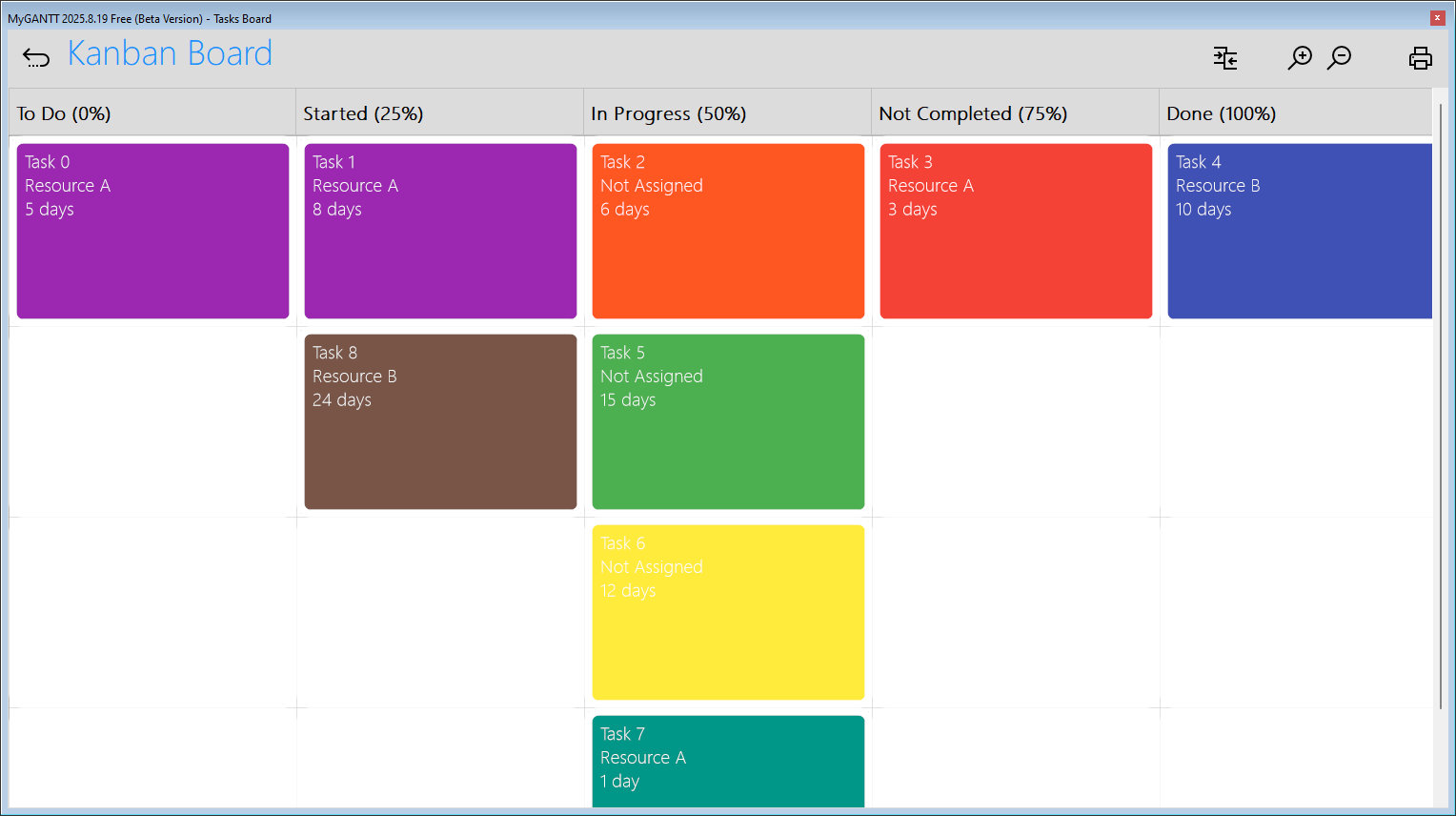
KANBAN BOARD
Through the kanban board you can monitor, plan and manage the workflow of your project
Visualizing the various stages of the agile workflow allows you to keep track of the various activities and the overall progress and status of individual tasks
With kanban you will improve communication and collaboration among the various professionals working on the project
DASHBOARD
With the dashboard you have a quick summary of key project parameters
Lots of information in one place without having to do any calculations
MyGANTT processes the information you need from the data you have entered


TASK LIST / BACKLOG
Often a simple list provides excellent management support
MyGANTT gives you a list with lots of information available at a glance
You can also work on tasks directly from the list
COSTS ANALYSIS
Without cost analysis, the project could take a bad path
MyGANTT processes the information to allow you an accurate analysis of daily costs and cost trends over time
Keeping track of costs will enable you to better manage the project

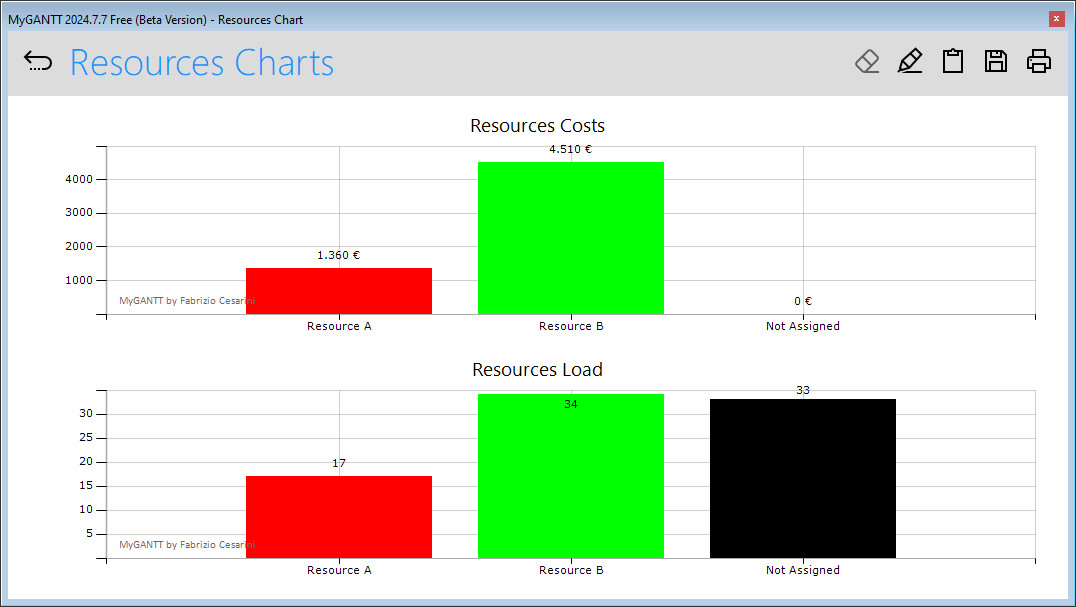
RESOURCES MANAGEMENT
Every project needs accurate management of dedicated resources
MyGANTT analyzes data to help you better manage resources using simple, intuitive charts
Managing resources allows you to better manage project costs
BURNDOWN CHART
The Burndown chart is a very useful management tool
With this chart you can visualize how many tasks remain to be completed
You can also see if the project is deviating from the ideal unfolding process


RESOURCES LIST
Resource list allows you to better manage them
Quickly monitor the workload performed for each resource
Keep track of resource costs
CALENDAR VIEW
Tasks can also be displayed in a convenient calendar so that you can see the tasks to be performed in the various months, weeks, and individual days.

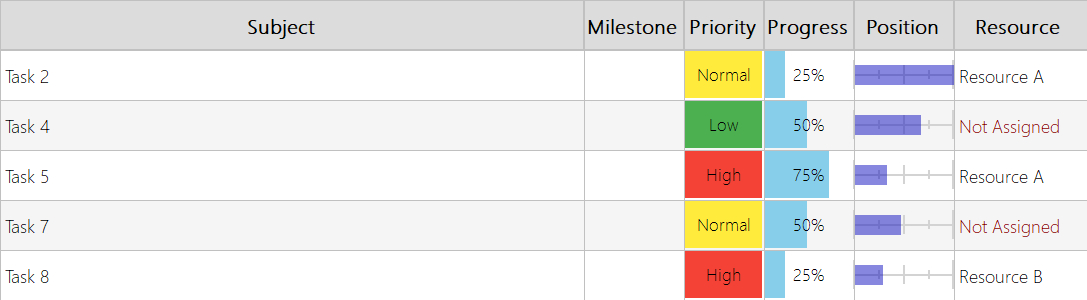
DAILY PLAN
View the tasks that need to be worked on a specific day
The “Position” column shows the progress relative to the task’s start and end dates
Quickly check who each task is assigned to
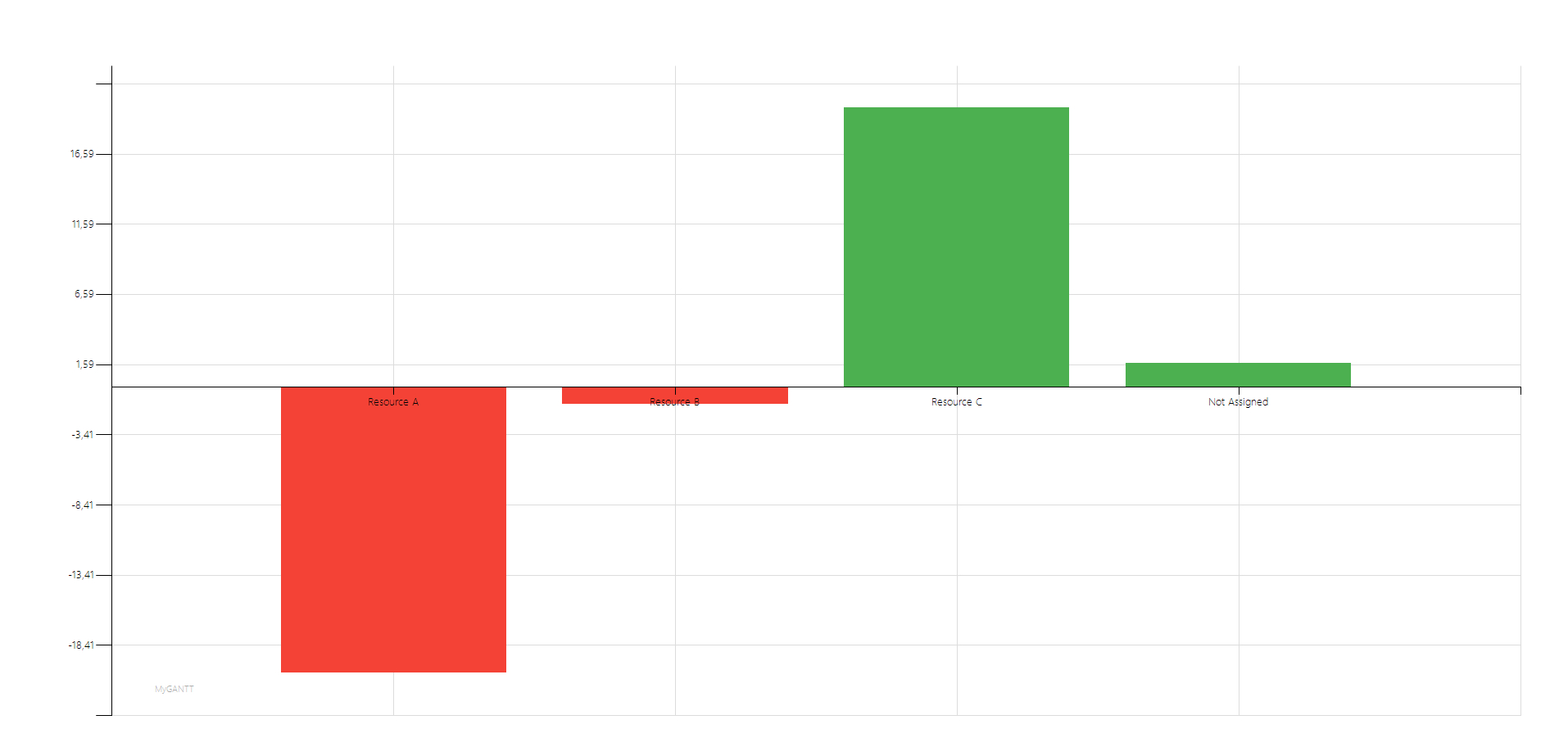
RESOURCES EFFICIENCY
Quickly track the efficiency of project resources so you can take action to make the necessary adjustments
… many other features are waiting to help you manage your project
Download Installer
MyGANTT_Setup.zip(2,07 Mb)
Version 2026.9.18 (Installer)
04 Jul 2026
Download Portable
MyGANTT_Portable.zip(672 Kb)
Version 2026.9.18 (Portable)
04 Jul 2026

Find MyGantt on Product Hunt

Features
Gantt chart
Kanban board
Task list
Fast input
Reports
Resources management
Dashboard
Draw on charts
Resource chart
Costs Analysis
Project Analysis
Full config
Burndown Chart
Progress Index
Data Export
Search
Templates
Calendar View

How much do you know about project management?
Take my free test to find out!
Changes Logs
- 2026.9.16 – 04 Jul 2026 (Last Version)
- ADD NEW
- Data import window (Tasks and Resources) in CSV format, accessible via the Data / Import menu
- FIXED
- Remove some unnecessary fields during export
- Removed some minor bugs
- Fixed some errors in the export window’s graphical interface
- Fixed some anomalies in the resource efficiency chart
- ENHANCED
- Reorganisation of the internal folder structure to improve efficiency
- Optimisation of some minor routines
- Removal of obsolete code
- Removal of unused forms
- ADD NEW
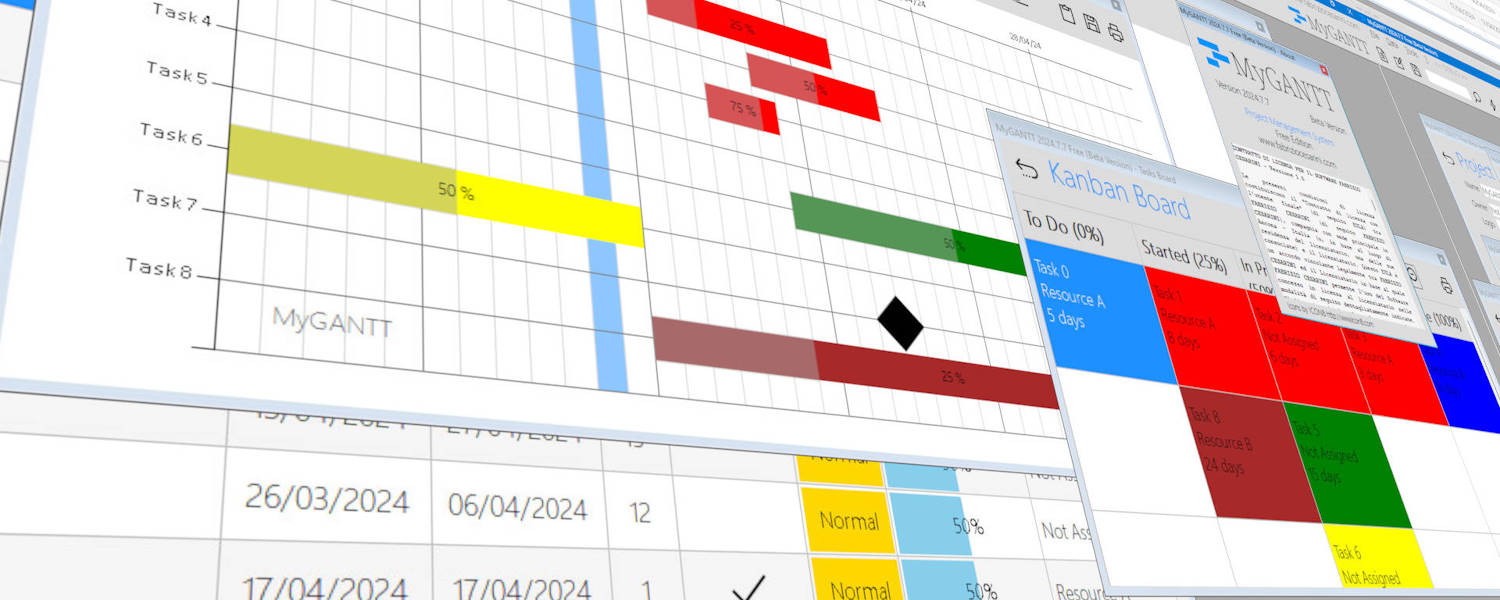
MyGANTT is the simplest free software for managing your projects
Software Requirements
- Minimum
- Hardware
- CPU x86/x64 at 1 GHz
- RAM 2 GB (512 MB Free)
- Mouse
- Screen resolution 1280×1024
- 250 MB of Hard Disk Space available
- Internet Connection
- Software
- Microsoft(c) Windows(c) 8.X Operating System with all Service Packs and System Updates Installed
- Microsoft(c) Edge Browser
- Microsoft(c) DirectX 9c
- Microsoft(c) Framework .NET 4.8.1 Full with all Service Packs and Language Packs installed
- Hardware
- Suggested
- Hardware
- CPU x64 at 2 GHz
- RAM 4 GB (1 GB Free)
- Mouse or touch screen
- Screen resolution 1920×1080 (Full HD)
- 1 GB of Hard Disk space available
- Fast Internet Connection
- Software
- Microsoft(c) Windows(c) 11 Operating System with all Service Packs and System Updates Installed
- Microsoft(c) Edge Browser
- Microsoft(c) DirectX 11
- Microsoft(c) Framework .NET 4.8.1 Full with all Service Packs and Language Packs installed
- Hardware
Road Map
Version YEAR.7.XPublishing for beta testing
Version YEAR.8.X (Beta)Bug fixesWeb API for UpdatingImproved user interaction (Feature requests, Bug report, …)
- Version YEAR.9.X
- Groups and categories management
Templates management- Import from CSV, XML, JSON,
TXT Export to CSV, XML, TXT, JSON
- Version YEAR.10.X
- Convert all reports to HTML and PDF
- Version YEAR 11.X
- Backup and data synchronization on cloud (Mega, Dropbox, GDrive, OneDrive and much more)
- Version YEAR.12.X
- WordPress plugin Client
- Version YEAR.13.X
- Mobile App for Android and iOS
Screenshots

MyGANTT Gantt Char screenshot 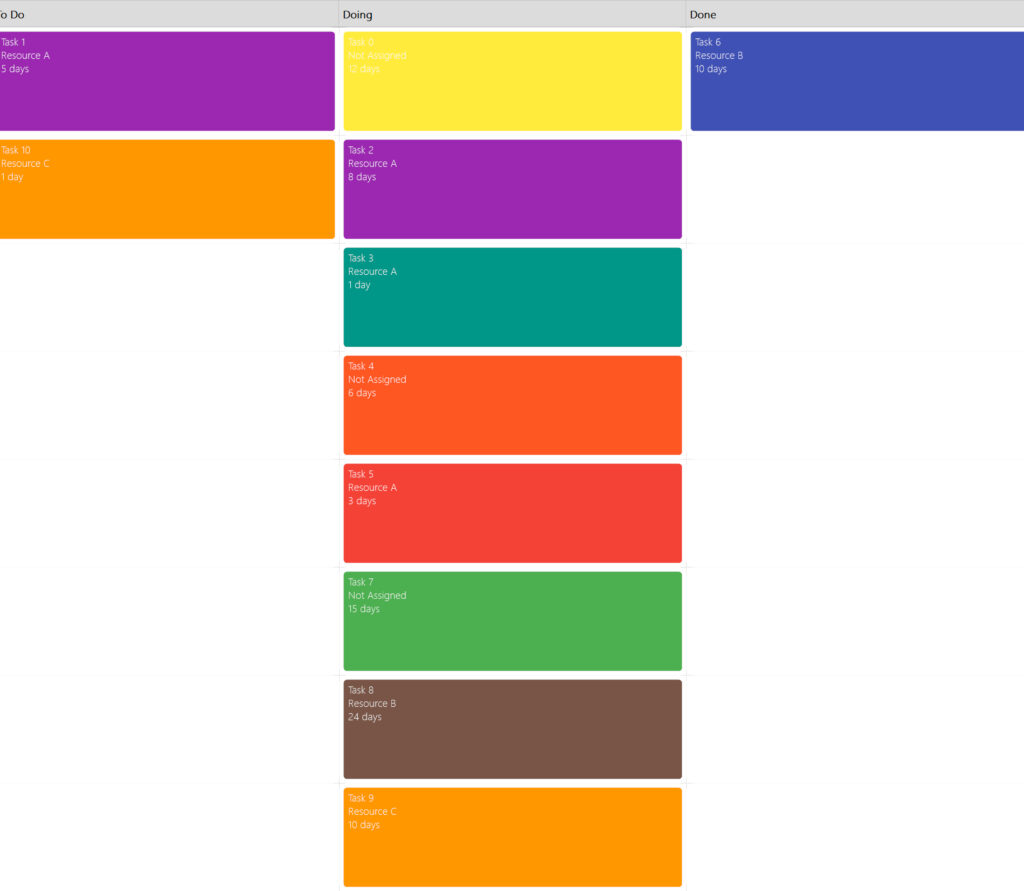
MyGANTT Kanban Board screenshot 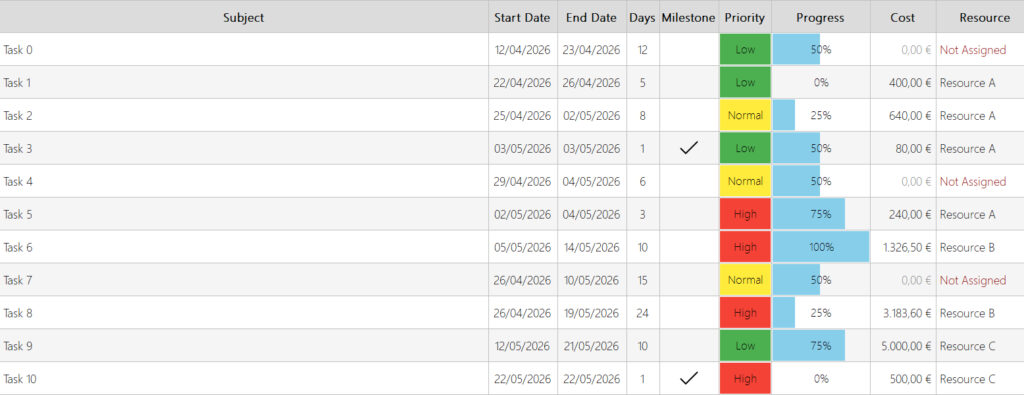
MyGANTT Task List screenshot 
MyGANTT – Burndown chart 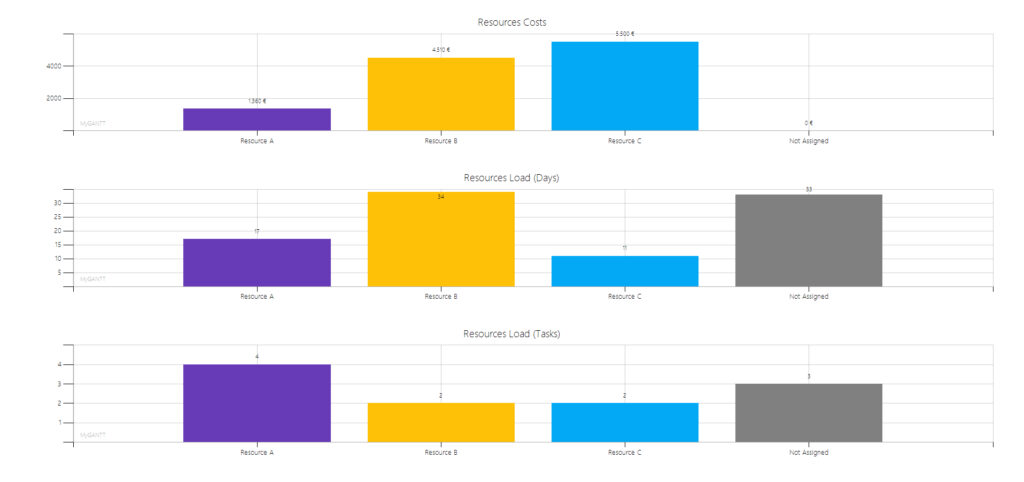
MyGANTT Resourcers Chart screenshot 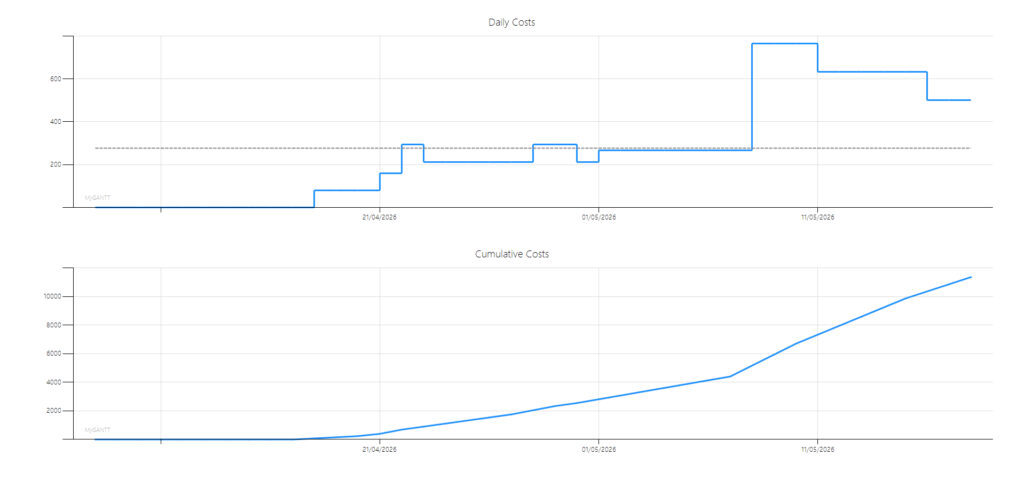
MyGANTT – Costs Analysis Screenshot 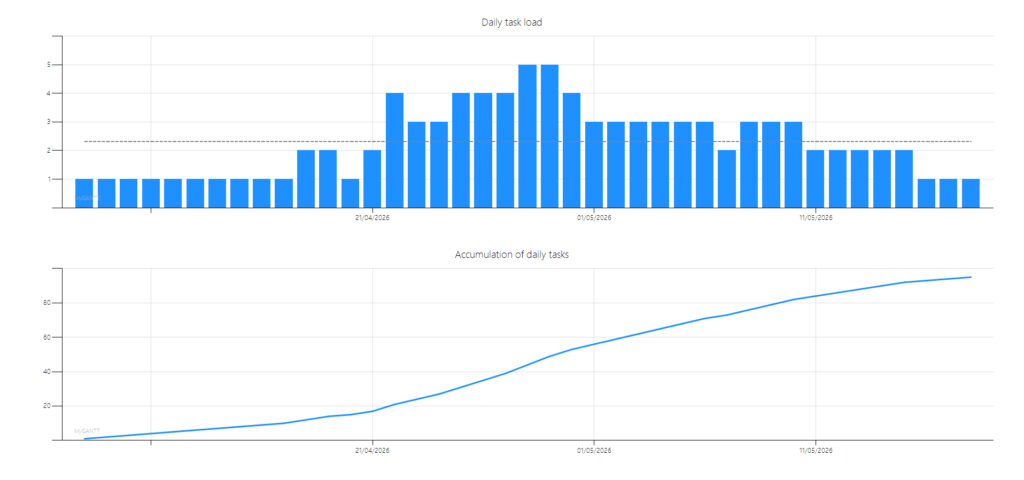
MyGANTT – Project Analysis Screenshot 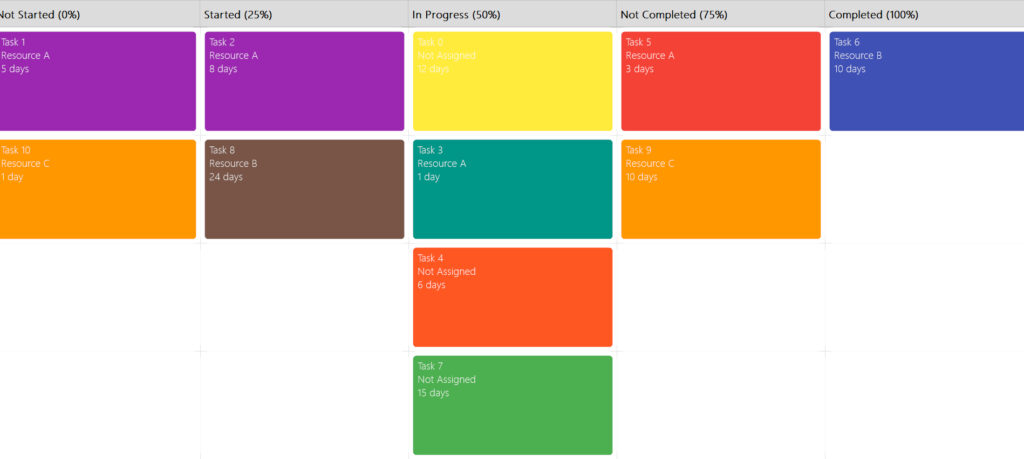
MyGANTT Kanban Board screenshot Full 
MyGANTT – Synthetic Progress Index MyGANTT – Resources List MyGANTT Dashboard screenshot MyGANTT – Calendar View MyGANTT – Daily Tasks 
MyGANTT – Splash Screen MyGANTT – Resources Efficiency
FAQ
Is MyGantt really Free ?
Yes, MyGANTT it’s Free for personal and commercial use
MyGANTT does not collect data, does not profile users, does not display advertisements, does not sell other software, does not offer paid versions (they do not exist), does not require you to create an account, does not ask for your email address, does not send you notifications, and does not ask for your credit card details.
Just use it. That’s all there is to it!
Is MyGantt a virus? / Have MyGantt a virus?
NO! MyGantt isn’t a virus and haven’t a virus.
Sometimes when downloading the installation file, your Windows may warn you that it is a virus, but it is not. This is a false positive. It would make no sense to include a virus in my software.
What is the purpose of MyGantt?
MyGantt is used to manage projects quickly and easily without having project management knowledge.
What are the main features of MyGantt?
MyGantt manages the processing tasks of a project graphically through several tools:
- Gantt chart
- Kanban board
- Task list with priority and progress status
- Fast task input
- Various reports and customizable prints with your personal or company logo
- Resources management
- Resources analysis chart by costs, days and tasks
- Resources Efficiency Chart
- Dashboard
- Free draw on charts
- Reports
- Export TXT, CSV, XML, JSON
- Import TXT
- Print all charts
- Costs analysis
- Project analysis
- Indexes
- Templates
- Burndown chart
- Calendar View
- Daily Tasks
… and many more. Discover them all !
I like MyGantt and I think it is very useful! What can I do?
Recommend it to your friends and followers!
The best thing you can do is to recommend it to someone you know who will find your suggestion useful.
The more people who use it the more defects will be uncovered and corrected and the program will improve with your help.
Share it!
In which scenarios is MyGANTT suitable?
MyGANTT was created specifically for small projects managed by individual professionals or small teams.
It can also be used profitably with medium-sized projects.
How much RAM is required to run MyGANTT?
You only need about 40 MB of free RAM to use it.
MyGANTT is designed with a strong focus on resource usage, performance, and stability.
Even with very complex projects, it rarely exceeds a load of 50 MB. In a few specific cases, temporary spikes of 100 MB may occur, but even in this case, it’s an incredibly low amount of RAM usage for software, especially compared to other programs that require gigabytes of RAM to run.
MyGANTT runs perfectly even on an Intel Atom 1 GHz CPU with 2 GB of RAM, a 32 GB HDD, and Windows 8.1
MyGANTT
The best Gantt chart software for individuals and small teams

